Let’s Build Something Great
Tell us about your goals and request a free project estimate.


~all (soft fail) during implementation, then move to -all (hard fail) after verification.SPF is a DNS‑based protocol that specifies which mail servers are authorised to send emails for your domain. When a receiving mail server gets an email claiming to be from your domain, it looks up your SPF record and checks whether the sending server’s IP address is on the authorised list.
The problem SPF solves is fundamental: SMTP, the protocol that powers email, was designed without built‑in authentication. Anyone with a mail server can send an email claiming to be from your domain. SPF closes this gap by letting you publish a list of authorised senders in DNS.
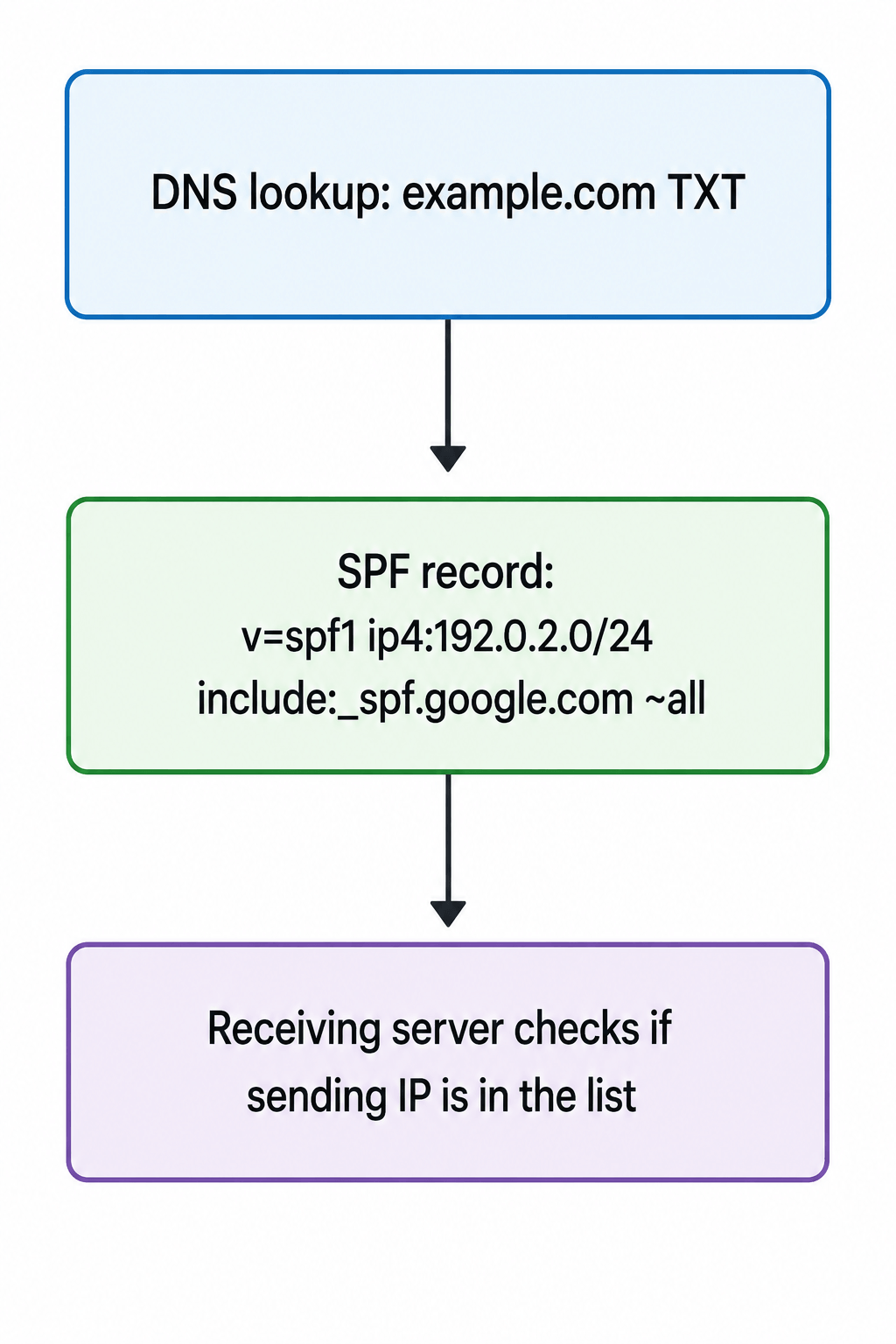
pass, fail, softfail, neutral, or none.Important limitation: SPF only checks the envelope sender (Return‑Path), not the header From address that users actually see. This means an email can pass SPF while still displaying a spoofed From address in the user’s email client. This is why SPF must be combined with DKIM and DMARC for complete protection.
v=spf1 [mechanisms] [qualifier]all| Mechanism | Description | Example |
|---|---|---|
ip4 | Authorise an IPv4 address or range | ip4:192.0.2.0/24 |
ip6 | Authorise an IPv6 address or range | ip6:2001:db8::/32 |
a | Authorise the domain’s A record IP | a:mail.example.com |
mx | Authorise the domain’s MX record IP | mx:example.com |
include | Include another domain’s SPF record | include:_spf.google.com |
exists | Check if a domain exists | exists:%{i}.example.com |
| Qualifier | Meaning | Example |
|---|---|---|
+ (pass) | Authorised | +ip4:192.0.2.1 |
- (hard fail) | Not authorised, reject | -all |
~ (soft fail) | Not authorised, but accept | ~all |
? (neutral) | No statement | ?all |
v=spf1 ip4:192.0.2.1 -allv=spf1 include:_spf.google.com -allv=spf1 ip4:192.0.2.0/24 ip6:2001:db8::/32 include:_spf.google.com include:mailgun.org ~allThe SPF specification (RFC 7208) imposes a hard limit of 10 DNS lookups during SPF record evaluation. Each include, a, mx, and exists mechanism counts as a lookup.
Why the limit exists: The limit prevents cascading DNS lookups that could create denial‑of‑service conditions on receiving mail servers.
What happens when you exceed the limit: Exceeding the 10‑lookup limit produces a PermError (permanent error), which causes SPF authentication to fail for every message from your domain-even legitimate ones.
How to avoid exceeding the limit:
include statements for services you no longer use.include statements where possible.include chains into direct IP addresses, eliminating lookup overhead entirely.SPF flattening replaces include mechanisms with resolved IP addresses to reduce lookups. However, traditional manual flattening is a temporary fix-it becomes outdated quickly and exposes your infrastructure. Automated SPF flattening services continuously monitor your DNS records and make adjustments in real time, ensuring your SPF record stays under the 10‑lookup limit.
| Mistake | Why It’s a Problem | Fix |
|---|---|---|
| Exceeding the 10-lookup limit | SPF returns PermError, failing authentication for all emails | Remove unused includes, use flattening |
| Multiple SPF records | Only one SPF record is permitted per domain | Merge into a single record |
| Missing sending sources | New platforms, CRMs, or tools added after the record was created | Audit all sending sources regularly |
Using +all | Permits any server to send email from your domain | Never use +all |
| Syntax errors | A single misplaced space, missing colon, or duplicate record can silently break email for your entire domain | Validate your record before publishing |
Terminating with ~all indefinitely | Soft fail does not fully block unauthorised senders | Move to -all after verification |
PermError.~all (soft fail) during implementation to avoid blocking legitimate email while you verify all sending sources.-all (hard fail) after you are confident your SPF record lists every legitimate sending service.include statement represents.dig TXT example.com +short | grep spfAuthentication-Results: spf=pass smtp.mailfrom=example.com;| Limitation | Why It Matters |
|---|---|
| Does not check the header From | SPF only validates the envelope sender (Return‑Path), not the address users see |
| Breaks with email forwarding | Forwarding changes the Return‑Path, causing SPF to fail |
| 10‑lookup limit | Complex email infrastructure can easily exceed this |
| DNS changes take time to propagate | Updates to SPF records are not instantaneous |
SPF (Sender Policy Framework) is the first line of defence against email spoofing. By publishing a DNS TXT record that lists authorised sending IPs, you tell receiving mail servers which servers are permitted to send email on your behalf.
However, SPF has significant limitations. It only checks the envelope sender (Return‑Path), not the header From address that users see. It breaks with email forwarding and is capped at 10 DNS lookups, which complex email infrastructure can easily exceed.
SPF adoption is now widespread-research shows 86% to 96% of domains have SPF records. Yet many organisations still make critical mistakes: exceeding the lookup limit, publishing multiple records, missing sending sources, or using +all. These errors can silently damage deliverability.
To achieve comprehensive email authentication, SPF must be combined with DKIM (cryptographic signing) and DMARC (policy enforcement and reporting). Start with SPF, layer in DKIM, then deploy DMARC in monitoring mode. After verifying all legitimate sending sources, move to enforcement.
Need help setting up email authentication for your domain? Playful Sparkle has been engineering digital products since 2004, offering Web Development, App Development, and security consulting services. Our team can help you configure SPF, DKIM, DMARC, and BIMI for your domain. Contact us to discuss how we can help you secure your email.



Facebook introduced link-sharing limits for selected Pages in 2026. Learn how the restrictions affect businesses and how your website, email subscribers, and other channels can help you find customers beyond Facebook.

On October 21, 2026, two critical PHP vulnerabilities, CVE-2026-109618 and CVE-2026-109619, were disclosed, enabling potential unauthenticated remote code execution. Learn which PHP versions are affected, how the flaws impact WordPress and other websites, and how to secure your servers.

The EU AI Act’s Article 50 transparency rules apply from 2 August 2026. Learn which AI systems are covered, what businesses must disclose, key deadlines, penalties, and the latest compliance requirements.

