Let’s Build Something Great
Tell us about your goals and request a free project estimate.


Marketing campaigns can generate website traffic from multiple sources, but identifying which channels and activities deliver meaningful results requires consistent measurement. Google Analytics 4 uses UTM parameters to connect incoming visits with specific campaigns, helping businesses analyse traffic acquisition, understand visitor behaviour and evaluate marketing performance beyond session numbers alone.
utm_source, utm_medium and utm_campaign. Additional parameters can identify campaign IDs, advertising platforms, keywords and creative variations.Custom campaign tracking in Google Analytics 4 (GA4) identifies the marketing activities responsible for bringing visitors to a website or app. It uses additional information attached to destination URLs to classify incoming traffic by its source, medium and campaign.
A marketing campaign may promote a product launch, seasonal offer, newsletter, event, service or brand awareness initiative. It can run across several platforms and placements, including search advertising, social media, email, display advertising, affiliate websites and printed materials.
Without campaign information, a website can receive visits without providing enough context to identify the specific external marketing activity behind them. Referral information may identify a referring website or platform, but it does not necessarily distinguish individual campaigns, advertisements or links.
UTM parameters provide that additional context. A tagged destination URL communicates information about the marketing activity that directed a visitor to a page. GA4 can then associate the visit with the corresponding traffic-source dimensions.
For example, a company may distribute the same promotional offer through Facebook advertisements, an email newsletter and an affiliate website. Each link can point to the same landing page while using different campaign parameters. GA4 can distinguish the resulting traffic in acquisition reports.
Campaign tracking and event tracking measure different parts of the visitor journey.
Campaign tracking identifies how visitors arrive. Event tracking measures what they do after arriving.
GA4 can collect interactions such as:
These interactions require the relevant events to be collected by the GA4 implementation. Important events can be marked as key events to measure business outcomes.
Adding utm_campaign=summer_sale to a link does not create a purchase event, record a form submission or measure a click on a website button. It supplies campaign information that can be analysed alongside events collected separately.
This distinction is essential. Campaign parameters identify the origin of a visit. Events and key events describe the activity and outcomes that follow.
UTM stands for Urchin Tracking Module. The name comes from Urchin, an earlier web analytics product that became part of Google’s Analytics offering.
UTM parameters are URL query parameters used to attach marketing information to links. When someone opens a tagged destination URL, the parameters become part of the page URL collected by the website’s Analytics implementation.
GA4 processes the available campaign values and makes them accessible through traffic-source dimensions. This allows marketers to compare visits from different sources, channels, campaigns and creative variations.
A basic campaign URL looks like this:
https://www.example.com/?utm_source=facebook&utm_medium=paid_social&utm_campaign=summer_saleThe URL contains the website address followed by three campaign parameters.
A URL uses several characters to separate its components:
?) starts the query string when the URL does not already contain one.=) separates a parameter name from its value.&) separates multiple parameter-value pairs.For example, a URL with an existing query string:
https://www.example.com/products?category=shoes&utm_source=facebook&utm_medium=paid_social&utm_campaign=summer_saleThe destination URL already contains a question mark, so the campaign parameters are appended with ampersands.
Parameter order does not determine their meaning. The following URLs communicate the same campaign values:
https://www.example.com/?utm_source=facebook&utm_medium=paid_social&utm_campaign=summer_salehttps://www.example.com/?utm_campaign=summer_sale&utm_source=facebook&utm_medium=paid_socialThe parameter names and values matter, not their position.
Values containing spaces or reserved URL characters should be encoded correctly. For example, a campaign name such as Black Friday 2026 can be represented as Black%20Friday%202026.
Incorrect URL construction can break a destination link or prevent the expected campaign values from reaching GA4. Always validate the complete URL before publishing it.
Google documents several UTM parameters that can provide campaign information to Analytics. The three foundational parameters are source, medium and campaign. Additional parameters provide more detailed identification.
| Parameter | Purpose | Example |
|---|---|---|
utm_id | Identifies a specific campaign using a stable campaign identifier. | spring-2026-001 |
utm_source | Identifies the traffic source or referring platform. | facebook |
utm_medium | Identifies the marketing medium or channel. | paid_social |
utm_campaign | Identifies the specific marketing campaign or promotion. | summer_sale_2026 |
utm_source_platform | Identifies the platform responsible for directing traffic to the Analytics property. | meta_ads |
utm_term | Identifies paid keywords or other relevant targeting terms. | running_shoes |
utm_content | Differentiates advertisements, creatives, links or content variations. | carousel_ad_a |
utm_creative_format | Describes the creative format. | video |
utm_marketing_tactic | Describes the marketing tactic or targeting approach. | remarketing |
utm_idThe utm_id parameter identifies a campaign using a stable identifier rather than its descriptive name.
For example:
utm_id=spring-2026-001A campaign ID is useful when campaign names change, when different advertising platforms use different naming conventions, or when Analytics data needs to be matched with external advertising costs and performance records.
Use the same identifier consistently across the campaign’s tagged links and the corresponding imported campaign data.
utm_sourceThe source identifies the platform, website, publication, newsletter or other origin responsible for directing traffic.
Examples include:
utm_source=google
utm_source=facebook
utm_source=instagram
utm_source=linkedin
utm_source=monthly_newsletterutm_mediumThe medium describes how the traffic was acquired.
Examples include:
utm_medium=email
utm_medium=cpc
utm_medium=paid_social
utm_medium=display
utm_medium=affiliate
utm_medium=organic_social
The source and medium should describe different aspects of the same acquisition activity. For example, facebook identifies the platform, while paid_social identifies the marketing channel.
utm_campaignThe campaign parameter identifies the specific marketing initiative.
Examples include:
utm_campaign=summer_sale_2026
utm_campaign=black_friday_2026
utm_campaign=product_launch
utm_campaign=newsletter_november
Use the same campaign name across all tagged links that belong to the same initiative. This allows the campaign’s traffic to be grouped and compared, even when visitors arrive from different sources or media.
utm_contentThe content parameter distinguishes individual advertisements or links within the same campaign.
For example, an email newsletter might contain two calls to action:
utm_content=header_ctautm_content=footer_ctaThe campaign remains the same, but the content value identifies which link generated the visit.
utm_termThe term parameter is commonly used to identify paid search keywords or other targeting information.
For example:
utm_term=running_shoesUse it only when the value has a clear measurement purpose. Avoid adding arbitrary text that makes campaign reporting harder to interpret.
utm_source_platformThis parameter identifies the platform responsible for directing traffic to the Analytics property. It is particularly useful when several advertising or marketing systems are involved.
For example:
utm_source_platform=meta_adsThe source and source platform are related, but they are not identical. The source describes where the visitor came from. The source platform describes the platform responsible for managing or directing that marketing activity.
Google also documents utm_creative_format and utm_marketing_tactic.
These parameters can describe information such as a video advertisement or a remarketing approach. However, Google’s current documentation states that their values are not currently reported in GA4 properties.
This demonstrates an important distinction: a parameter can be accepted in a URL without its value being available as a standard reporting dimension. Do not rely on these two parameters for standard GA4 campaign reporting.
For current parameter behaviour, consult Google’s documentation on URL builders and UTM parameters.
Google provides an official Campaign URL Builder to help marketers create correctly structured campaign URLs.
The tool generates a destination URL with campaign parameters appended to it. It reduces manual URL construction and helps teams apply consistent campaign information to external links.
The typical workflow is:
Consider a company promoting a new product through a Facebook advertisement.
The destination page is:
https://www.example.com/new-productThe campaign values are:
utm_source=facebook
utm_medium=paid_social
utm_campaign=product_launch_2026
utm_content=video_ad_a
The resulting URL is:
https://www.example.com/new-product?utm_source=facebook&utm_medium=paid_social&utm_campaign=product_launch_2026&utm_content=video_ad_aWhen a visitor clicks the advertisement, the destination URL carries the campaign information to the website.
The Campaign URL Builder is a URL construction tool. It is not a website analytics implementation or advertising management system.
It does not:
The generated URL supplies campaign information. The website must still have a functioning GA4 implementation to collect and process the visit.
The website Campaign URL Builder should also be distinguished from Google’s Play Campaign URL Builder, which is intended for Android app advertising workflows.
Source, medium and campaign form the foundation of manually tagged campaign measurement. Their values should have clearly defined responsibilities.
The source identifies where traffic originates.
For example:
utm_source=instagramThis identifies Instagram as the traffic source. A different campaign link might use linkedin, facebook or monthly_newsletter.
Avoid using a campaign objective as a source. A value such as brand_awareness describes a marketing objective, not the platform or origin responsible for directing traffic.
The medium identifies the marketing method through which visitors arrive.
For example:
utm_source=facebook&utm_medium=paid_socialFacebook is the source. Paid social is the medium.
This distinction matters because GA4 uses traffic-source information when classifying visits into channel groups. Inconsistent or unsuitable medium values can produce unexpected channel classifications.
The campaign name identifies the marketing initiative.
For example:
utm_campaign=summer_sale_2026The same campaign name can be used across email, paid social and affiliate placements. This allows the business to compare the campaign’s performance across sources and channels.
A useful campaign structure might look like this:
| Source | Medium | Campaign |
|---|---|---|
facebook | paid_social | summer_sale_2026 |
instagram | paid_social | summer_sale_2026 |
monthly_newsletter | email | summer_sale_2026 |
partner_website | affiliate | summer_sale_2026 |
The campaign name remains consistent while the source and medium describe the individual acquisition route.
UTM values are case-sensitive. GA4 can therefore treat values with different capitalization or spelling as separate entries.
For example:
facebook
Facebook
FACEBOOK
These are different source values. The same applies to campaign names such as summer_sale and summer-sale.
Inconsistent naming fragments campaign data across reports. It can also affect channel classification and make comparisons between campaigns more difficult.
A documented naming convention should define:
Lowercase values are a practical standard. Use either underscores or hyphens consistently rather than switching between them.
A structured example is:
utm_source=instagram
utm_medium=paid_social
utm_campaign=summer_sale_2026
utm_content=carousel_product_a
Avoid embedding unnecessary information in the campaign name. Use the appropriate parameter for each measurement requirement.
Google does not mandate a universal naming format for every business. The convention is an organizational decision, but it must be applied consistently.
For organisations with several marketing teams or external agencies, campaign governance should establish who creates campaign links, who approves naming conventions, and how campaign identifiers are shared between advertising and Analytics systems.
UTM parameters can identify traffic from different external marketing activities. The following examples demonstrate how the parameter values can be selected for common campaign types.
Email campaigns often contain multiple links to the same destination. Use source, medium and campaign to identify the newsletter or promotion, then use utm_content to distinguish individual placements.
https://www.example.com/summer-sale?utm_source=monthly_newsletter&utm_medium=email&utm_campaign=summer_sale_2026&utm_content=header_ctaA separate footer link can use:
utm_content=footer_ctaThis helps compare which newsletter placement generated more visits and subsequent activity.
Paid social links should identify the advertising platform and the paid social medium.
https://www.example.com/new-product?utm_source=facebook&utm_medium=paid_social&utm_campaign=product_launch_2026&utm_content=video_ad_aA different advertisement can use utm_content=carousel_ad_b.
This allows marketers to compare traffic and outcomes from different creative variations within the same campaign.
Unpaid social posts can use a separate medium to distinguish them from paid advertisements.
https://www.example.com/services?utm_source=instagram&utm_medium=organic_social&utm_campaign=brand_awareness_2026&utm_content=profile_linkThe source identifies Instagram, while the medium identifies unpaid social activity.
Affiliate links can identify the partner website or affiliate network responsible for directing visitors.
https://www.example.com/product?utm_source=partner_website&utm_medium=affiliate&utm_campaign=product_promotionUse separate source values when individual affiliates need to be compared. Keep the campaign name consistent across participating partners.
Influencer campaigns can identify the creator or promotional placement as the source.
https://www.example.com/summer-collection?utm_source=creator_name&utm_medium=referral&utm_campaign=summer_promotion_2026Using referral as the medium allows the traffic to follow the standard referral classification rules. A business that uses a custom medium such as influencer should check how GA4 classifies it and can define a corresponding custom channel group if a separate influencer channel is required.
QR codes can connect printed materials to campaign-tagged website URLs.
https://www.example.com/event?utm_source=printed_brochure&utm_medium=offline&utm_campaign=trade_show_2026The same approach can be used for posters, packaging, business cards, event displays and brochures.
The campaign parameters identify the intended placement of the link. They do not independently verify that someone physically scanned a particular printed item. A visitor could also share the URL or open it through another route.
A custom channel group may be useful when a business wants to classify offline campaign traffic separately from the standard GA4 channels.
Manually creating every campaign URL can become time-consuming when an advertising account contains many campaigns, ad groups and advertisements.
Some advertising platforms support dynamic URL parameters. These are placeholders that the platform replaces with actual campaign or advertising information when a visitor clicks an ad.
Google Ads provides ValueTrack parameters for this purpose. For example:
{campaignid} identifies the campaign.{adgroupid} identifies the ad group.{creative} identifies the advertisement.{device} identifies the device category associated with the click.A Google Ads URL configuration could use a campaign ID as a UTM value:
utm_source=google&utm_medium=cpc&utm_id={campaignid}Google Ads replaces supported ValueTrack placeholders with the relevant values when the advertisement is clicked.
Tracking templates and final URL suffixes provide ways to configure URL tracking within Google Ads. The exact configuration depends on the advertising account and tracking requirements. Google’s ValueTrack documentation explains the available parameters and their use.
Other advertising platforms use different placeholder syntax. Do not copy Google Ads macros into Meta Ads, LinkedIn Ads or another platform and assume they will work.
Dynamic parameters reduce repetitive work, but they must be tested before a campaign launches. An unsupported placeholder can remain unresolved or produce an empty value. Incorrect URL configuration can also interfere with the final destination.
A campaign-tagged URL is only one part of the measurement process. GA4 must collect the landing-page visit and process the campaign information.
The technical workflow is:
A GA4 web data stream has a Measurement ID, usually displayed in the format G-XXXXXXXXXX. The website’s Google tag uses this identifier to send measurement data to the correct GA4 property.
The Google tag can be installed directly through gtag.js or deployed through Google Tag Manager. These are implementation methods for collecting website data. They are not alternatives to campaign parameters.
The Google tag and GA4 implementation collect the landing-page information, including the URL. Campaign parameters provide the values that GA4 uses to identify manually tagged acquisition activity.
A correctly tagged URL cannot produce useful GA4 campaign reports when the website does not collect the visit or when the tagging implementation is incorrectly configured.
No. When GA4 is already implemented correctly and collects the landing-page visit, standard UTM parameters can be processed as campaign information without a separate Google Tag Manager trigger for each UTM parameter.
GTM may still be used to deploy the GA4 tag, manage event tracking, implement consent controls or configure other measurement requirements. It is not necessary to create a dedicated event trigger simply to read standard campaign parameters from a landing-page URL.
GA4 provides a Page location dimension containing the complete page URL. This includes the query string when it is collected.
However, UTM information is omitted from the Landing page + query string and Page path + query string dimensions. The campaign information is instead available through Page location and the relevant traffic-source dimensions.
This distinction matters when debugging a tagged landing page. The absence of UTM parameters from a page-path dimension does not by itself indicate that GA4 failed to collect them.
GA4 organises acquisition information into user, session and event scopes. Each scope answers a different analytical question.
Understanding these differences is essential when interpreting campaign reports.
First-user dimensions describe the source that initially acquired a user.
Examples include:
The values describe the user’s initial acquisition and remain associated with that user when they return to the website.
For example, someone might first discover a store through an organic search result. They later visit through email and paid advertising. The First user source dimension continues to describe the original acquisition source.
These dimensions are particularly useful when analysing new-user acquisition.
Session dimensions identify the source associated with a particular session.
Examples include:
A returning visitor can generate several sessions, each with a different acquisition source.
For example:
| Session | Acquisition source |
|---|---|
| First visit | google / organic |
| Second visit | newsletter / email |
| Third visit | facebook / paid_social |
Session-scoped dimensions are especially useful for comparing the traffic and engagement associated with individual campaigns.
Event-scoped traffic-source dimensions are used to analyse attribution credit for key events.
These dimensions normally do not use the First user or Session prefix. Examples include Source, Medium, Campaign and Default channel group.
They help explain how different marketing interactions contributed to a key event, such as a completed purchase.
The selected GA4 reporting attribution model determines how credit is assigned to eligible interactions. By default, GA4 uses data-driven attribution for event-scoped reporting.
A source can therefore have different values across user, session and event reporting. These are not necessarily conflicting results. They describe acquisition and attribution from different perspectives.
GA4 provides standard acquisition reports, attribution reports and Explorations for analysing campaign information.
The Traffic acquisition report is the main starting point for evaluating manually tagged campaigns.
Navigate to:
Reports → Acquisition → Traffic acquisition
The report focuses on the sources associated with individual sessions, including both new and returning users.
Useful dimensions include:
The default report uses Session default channel group as its primary dimension. Depending on the report configuration, you can select another dimension or add a secondary dimension.
To compare campaigns, select Session campaign. To analyse individual platforms, use Session source or Session source / medium.
You can then compare sessions, engaged sessions, engagement rate, key events and revenue.
The User acquisition report focuses on the sources responsible for acquiring new users.
Dimensions such as First user source, First user medium and First user campaign help businesses understand which marketing activities originally introduced visitors to the website.
This report answers a different question from Traffic acquisition. It identifies initial user acquisition rather than the source associated with every returning session.
The Advertising section provides tools for analysing how eligible marketing interactions contribute to key events.
Depending on the report and property configuration, useful views include:
These views help explain the contribution of different traffic sources along the customer journey.
GA4 Explorations can provide more flexible campaign analysis. A free-form exploration can combine campaign dimensions with selected metrics.
Examples include:
| Dimension | Metric | Analytical purpose |
|---|---|---|
| Session campaign | Sessions | Compare campaign traffic volume. |
| Session source / medium | Engagement rate | Compare traffic quality across channels. |
| Session campaign | Key events | Evaluate campaign outcomes. |
| Session campaign | Total revenue | Compare revenue associated with sessions. |
| Session manual ad content | Key events | Compare manually tagged creative variations. |
Not every dimension is automatically available in every report. Some dimensions need to be selected, added or used in an Exploration.
For current reporting instructions, consult Google’s Traffic acquisition report documentation.
Campaign performance should be evaluated against the objective of the marketing activity. Session volume alone does not show whether a campaign generated valuable business outcomes.
A campaign designed to increase brand awareness may have different success criteria from an ecommerce campaign designed to generate purchases.
GA4 provides several metrics that can help evaluate performance.
| Metric | What it measures | How to interpret it |
|---|---|---|
| Users | The number of users associated with the activity. | Helps evaluate audience reach. |
| New users | Users who interacted with the website or app for the first time during the selected period. | Helps assess new-user acquisition. |
| Sessions | The number of sessions that began. | Measures visit volume. |
| Engaged sessions | Sessions lasting at least 10 seconds, containing a key event or including at least two page or screen views. | Helps assess meaningful website activity. |
| Engagement rate | The percentage of sessions that were engaged sessions. | Compares engagement quality between campaigns. |
| Average engagement time per session | Average time the website was in focus or the app was in the foreground during a session. | Indicates active engagement time. |
| Event count | The total number of collected events. | Measures tracked interactions. |
| Key events | The number of times users triggered events marked as key events. | Measures important business actions. |
| Session key event rate | The percentage of sessions in which a key event occurred. | Helps compare conversion performance by session. |
| Total revenue | Revenue from purchases, subscriptions and other supported revenue sources, less refunds. | Evaluates the broader revenue contribution. |
| Ecommerce purchases | The number of recorded purchase events. | Measures completed ecommerce transactions. |
| Purchase revenue | Revenue recorded from purchase events. | Measures ecommerce sales value. |
Metric definitions should be interpreted in relation to the tracking implementation. For example, GA4 cannot report accurate purchase revenue if the website does not send correctly configured purchase events and transaction values.
Consider three campaigns:
The campaign with the most traffic is not necessarily the most effective. The results depend on the business objective, acquisition cost, user behaviour and revenue generated.
For ecommerce websites, campaign analysis should include product views, add-to-cart activity, checkout initiations, purchases and purchase revenue where those events are implemented.
For lead-generation websites, the analysis may focus on form submissions, qualified enquiries, registrations or other business-defined key events.
UTM parameters identify campaign traffic, but they do not automatically provide advertising costs, impressions or click counts from external platforms.
For non-Google campaigns, businesses can use GA4 Campaign Data Import to combine imported advertising data with Analytics measurements. Depending on the imported fields, this can support analysis of cost, clicks, impressions, cost per click and return on advertising spend.
Google’s Campaign Data Import documentation recommends using utm_id, utm_source, utm_medium and utm_campaign consistently so imported campaign data can be matched with the traffic recorded by GA4.
This is particularly important when advertising platforms use different campaign naming systems. A stable campaign ID provides a reliable matching key.
See Google’s Import campaign data documentation.
Google Ads auto-tagging and manual UTM tagging are two different methods of providing traffic-source information to Analytics.
Manual tagging uses campaign parameters such as:
utm_source=google
utm_medium=cpc
utm_campaign=brand_search
Google Ads auto-tagging adds a Google Click Identifier (GCLID) to the destination URL when someone clicks an advertisement.
For example:
https://www.example.com/?gclid=123xyzThe identifier allows Google Analytics and Google Ads to exchange more detailed advertising information when the accounts and tracking implementation are configured correctly.
Auto-tagging provides additional platform-specific reporting dimensions that are not available through basic manual UTM tagging alone.
These can include:
When a Google Ads account is linked to GA4, auto-tagging helps provide more detailed advertising reporting and supports the integration of campaign and cost information.
When both methods are present and the click identifier can be used as intended, GA4 uses auto-tagged values for source, medium and other traffic-classification dimensions.
Manual utm_content and utm_term values can still populate their corresponding manual ad content and manual term dimensions.
There is an important exception. When GCLID or DCLID cannot be used as intended, GA4 may derive all cross-channel traffic-source dimensions exclusively from UTM parameters if any UTM parameter is present.
This can produce incomplete or (not set) values when only some of the relevant parameters are included.
For this reason, businesses should not add incomplete manual UTM tagging to Google Ads campaigns as a substitute for a correctly configured auto-tagging implementation.
Use auto-tagging for linked Google Ads and GA4 accounts. Use manual UTM tagging primarily for external marketing platforms and placements that do not have an appropriate Analytics integration.
Google explains this behaviour in its traffic-source dimensions, manual tagging and auto-tagging documentation.
GA4 uses channel groups to classify traffic into broader acquisition categories.
A source identifies where traffic originates. A medium identifies how the visitor arrived. A campaign identifies the specific marketing initiative. Channel groups use traffic-source information and predefined rules to place traffic into a channel category.
Examples of GA4 default channels include:
The available default channel categories and their rules are maintained by Google and may evolve over time.
Consider:
utm_source=facebook
utm_medium=paid_social
utm_campaign=summer_sale_2026
The source and medium provide information that GA4 can use to classify the session as Paid Social, provided the traffic meets the relevant channel-group rules.
An unsuitable medium can lead to an unexpected classification.
For example, a custom medium such as influencer does not automatically guarantee that traffic will appear in a dedicated Influencer channel. If no default channel rule matches the traffic, GA4 can classify it as Unassigned.
The campaign name alone does not determine the channel. Channel classification depends on the source, medium and the applicable rules.
Custom channel groups allow businesses to create their own rule-based categories.
A company that runs a significant amount of influencer marketing may want to classify that activity separately. It could create a custom channel with rules based on a consistent source or medium value.
Custom channel groups can also distinguish regional campaigns, partner categories, offline marketing or other business-specific acquisition activities.
The default channel group cannot be edited directly. Custom groups provide an additional way to classify traffic according to an organisation’s reporting requirements.
See Google’s documentation on default channel groups and custom channel groups.
Campaign tracking identifies the marketing information associated with incoming traffic. Attribution determines how credit for a key event is assigned to eligible marketing interactions.
These processes are related, but they are not the same.
Consider a visitor who discovers an online store through organic search, returns through an email newsletter and later purchases a product after clicking a paid advertisement.
The visitor’s journey contains several acquisition interactions:
Different GA4 dimensions describe this journey in different ways.
First-user dimensions identify the original acquisition source. In this example, the first-user source is Google organic.
Session dimensions identify the source associated with each visit. The sessions can therefore be associated with organic search, email and paid advertising.
Event-scoped dimensions help attribute credit for the purchase to the eligible interactions in the customer journey.
GA4 offers data-driven attribution and last-click options for paid and organic channel reporting, together with a Google paid channels last-click option for the relevant Google Ads reporting configuration.
Data-driven attribution uses the available data to estimate the contribution of different interactions to a key event. This can distribute credit across several touchpoints rather than assigning all credit to a single interaction.
As a result, a campaign may receive fractional credit for a key event in event-scoped reports.
The selected attribution settings also determine which channels can receive credit and how far back Analytics considers eligible interactions. This period is controlled by the key-event lookback window.
A 90-day lookback window, for example, allows eligible interactions from the previous 90 days to be considered for many key events. Acquisition events have a separate default lookback window.
UTM parameters do not independently decide which campaign receives credit for a purchase. They supply traffic-source information. GA4 applies its configured attribution logic to eligible key events.
Businesses should review their GA4 attribution settings when comparing campaign results or interpreting differences between acquisition and attribution reports.
Campaign tracking can produce incomplete or misleading reports when campaign URLs, website redirects or Analytics settings are not configured correctly.
| Problem | Possible cause | Recommended action |
|---|---|---|
Campaign appears as (not set) | Required campaign parameters are missing or were not collected. | Check the URL and ensure all relevant UTM values are present. |
| One campaign appears in multiple rows | Inconsistent capitalization, spelling or separators. | Standardise campaign values. |
| Traffic appears under an unexpected channel | The medium does not match the expected channel-group rules. | Review the source, medium and channel definitions. |
| Campaign traffic appears as Direct | Referrer or campaign information may have been lost before GA4 collected the landing page. | Check redirects, URL handling and the tagging implementation. |
| Campaign values are missing after a redirect | The redirect removes query parameters. | Configure the redirect to preserve the full query string. |
| Creative variations cannot be distinguished | Different links use the same or missing utm_content value. | Assign consistent creative identifiers. |
| Google Ads traffic has incomplete source information | Auto-tagging or the Google Ads integration is not working correctly. | Check GCLID preservation and the linked account configuration. |
| UTMs are missing from page-path reports | The selected dimension does not expose UTM parameters. | Inspect Page location or the traffic-source dimensions instead. |
| A campaign URL opens an error page | The URL is malformed or the website rejects an added parameter. | Validate the URL and check server-side URL handling. |
| Internal navigation changes campaign attribution | External campaign UTMs have been added to internal links. | Remove acquisition UTMs from internal navigation. |
A URL containing only utm_campaign does not provide the full source and medium information expected for reliable campaign classification.
Use all three foundational parameters:
utm_source
utm_medium
utm_campaign
Include utm_id and utm_source_platform where the reporting and campaign-data structure requires them.
Campaign naming variations can split a single marketing initiative into multiple report rows.
For example:
summer_sale
Summer_Sale
summer-sale
Use a central naming convention and check all generated links before publication.
A common debugging mistake is checking Landing page + query string or Page path + query string and assuming that missing UTM values indicate a failed implementation.
GA4 omits UTM information from these dimensions. Use Page location to inspect the complete collected URL, then verify the relevant source and campaign dimensions.
External acquisition UTMs should not normally be added to internal website navigation.
For example, tagging an internal homepage banner with utm_source=homepage_banner can introduce new campaign information into a visitor’s existing journey. This can interfere with the interpretation of acquisition data.
Use event tracking or appropriate content measurement to analyse internal promotions.
A tagged campaign URL must retain its query parameters until the GA4 implementation can collect the landing-page information.
A redirect can interfere with this process.
For example, a campaign link might initially point to:
https://www.example.com/summer-sale?utm_source=facebook&utm_medium=paid_social&utm_campaign=summer_saleIf the website redirects the visitor to:
https://www.example.com/summer-sale/without preserving the query string, the campaign parameters may be lost before GA4 can collect them.
Check the behaviour of:
For cross-domain journeys, the GA4 cross-domain measurement configuration should be reviewed so that a transition between domains does not incorrectly appear as a separate acquisition source.
Payment gateways and other third-party services may also require referral configuration so that a return from an external payment domain does not replace the original campaign context with a misleading referral.
Internal promotional links should use appropriate event or content measurement rather than external acquisition UTMs.
A campaign URL should be tested before it is distributed through advertising, email or other promotional placements.
Checking that a URL contains UTM parameters is only the first step. The complete measurement process must also be verified.
Realtime helps confirm that activity is reaching the GA4 property. It displays recent activity and can help identify whether a campaign visit is being collected.
However, Realtime performs limited attribution analysis. It should not be treated as the definitive report for evaluating campaign attribution.
DebugView provides a more detailed view of the events collected from a device when debug mode is enabled.
It is useful for checking whether the GA4 implementation sends expected events and parameters. Developers can use Google Tag Assistant or GTM preview mode to assist with debugging.
DebugView also has limitations for attribution analysis. Google recommends using acquisition reports for more accurate attribution information.
GA4 reports and Explorations can take 24 to 48 hours to process website or app data. A campaign may therefore be visible in Realtime before its processed acquisition data is fully available in standard reports.
The Realtime report, DebugView and Traffic acquisition report serve different purposes:
| Tool | Main purpose |
|---|---|
| Realtime | Monitor recent visitor activity. |
| DebugView | Inspect events and parameters during implementation testing. |
| Traffic acquisition | Analyse processed session-level traffic-source information. |
| Explorations | Compare campaign dimensions and metrics in custom analyses. |
Do not treat an immediate absence from a standard report as proof that a campaign URL is incorrectly tagged. First check that the page visit and Analytics events are being collected, then allow time for report processing.
UTM parameters are visible URL data. They can appear in browser history, server logs, analytics collection and other systems that process or store destination URLs.
Do not place personally identifiable or sensitive information in campaign parameters.
Avoid using:
Use campaign IDs and non-personal identifiers instead.
GA4 provides data-redaction settings for email addresses and selected URL query parameters, but these controls should not be treated as permission to place personal information in campaign URLs. Prevent unnecessary personal information from entering URLs in the first place.
Consent and privacy configuration should also be handled by the website’s Analytics implementation. UTM parameters do not replace a consent mechanism or change the legal requirements that apply to the processing of personal data.
Google explains these considerations in its Data redaction documentation and PII prevention guidance.
Reliable campaign measurement requires coordination between marketing, development and analytics activities.
A practical workflow follows these stages:
utm_id when stable campaign IDs are needed for reporting or cost-data integration.utm_content, utm_term and utm_source_platform where they provide useful measurement information.Marketing teams should own campaign definitions, naming conventions and placement information. Developers should ensure that destination URLs, redirects and Analytics implementation preserve and collect the necessary information. Analytics specialists should validate dimensions, attribution settings and reporting consistency.
Custom campaign measurement in Google Analytics 4 depends on more than adding parameters to a destination URL. It requires a consistent tagging strategy, a correctly configured Analytics implementation, reliable event measurement and an understanding of how GA4 classifies and attributes traffic.
The Campaign URL Builder makes it easier to construct tagged links, while UTM parameters provide the source, medium and campaign information needed for manual campaign measurement. GA4 then makes this information available through acquisition dimensions and attribution reports.
The most useful campaign analysis connects acquisition data with engagement, key events, ecommerce purchases, revenue and advertising costs. When campaign values are standardised and the measurement process is tested, businesses can compare marketing activities more reliably and make better-informed decisions about future campaigns.
Playful Sparkle has engineered digital products since 2004. We help businesses improve their online measurement through SEO & Digital Marketing and Web Development services, including analytics implementation, campaign tracking, event measurement and website optimisation. Contact Playful Sparkle to discuss how your website can collect more reliable marketing data and turn campaign performance into actionable business insights.



Custom stamp production involves more than preparing a logo or illustration. Learn how stamp types, impression dimensions, typography, line thickness, materials, inks and manufacturing methods affect the final result.
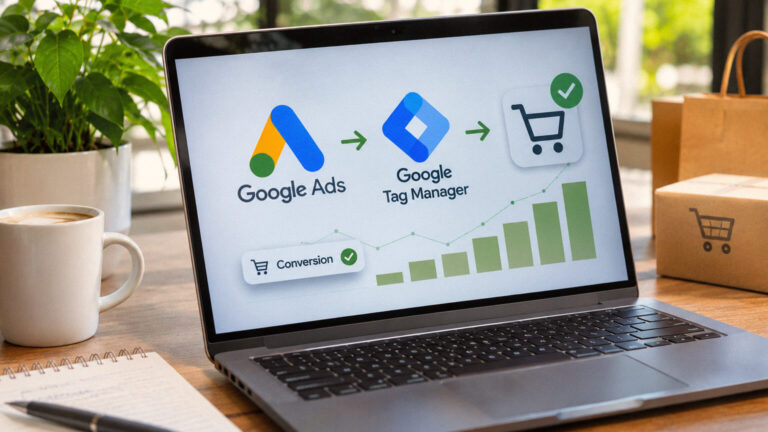
Understand how Google Ads conversion tracking measures ecommerce purchases, cart additions, checkout initiations, lead submissions and registrations. Explore GTM implementation, direct gtag.js tracking, conversion attribution, remarketing, consent management and tracking validation.

Learn how to prepare paperback, hardcover and dust-jacket artwork for professional printing. Explore cover dimensions, bleed, spine calculations, colour management, special finishes, print-ready PDF export and the complete production handoff package for your printing team.

